Color consistency is a production issue, not merely a design preference. A logo that appears deep blue on one carton may look violet on another. Small shifts can weaken brand recognition, increase waste, and trigger costly reprints. So, why do color variations occur in custom printing? The answer usually involves several connected factors: paper whiteness, ink density, press calibration, drying conditions, lighting, and file preparation.
Industry standards provide a useful control framework. ISO 12647-2 defines process conditions for offset printing, while Fogra’s ProcessStandard Offset Printing recommends measured targets instead of visual judgment alone. The G7 method, widely used in commercial printing, also emphasizes neutral gray balance and repeatable press behavior. Smithers’ “The Future of Global Printing to 2028” highlights continued pressure on printers to improve efficiency, quality, and production reliability across digital and conventional workflows. These expectations make color management increasingly important.
In practice, a calibrated monitor cannot guarantee a matching package. The printed substrate changes how light reflects from cyan, magenta, yellow, and black inks. Even a small humidity shift can affect paper behavior and ink drying. I have seen acceptable proofs become inconsistent when operators changed stock without updating press profiles. That mistake is easy to overlook. It is also expensive.
This guide explains how to prevent color variations in custom printing through controlled file preparation, standardized proofs, spectrophotometer measurements, suitable substrates, and documented press checks. No system is perfect. However, a repeatable process is far more reliable than approving color by memory or under inconsistent lighting.
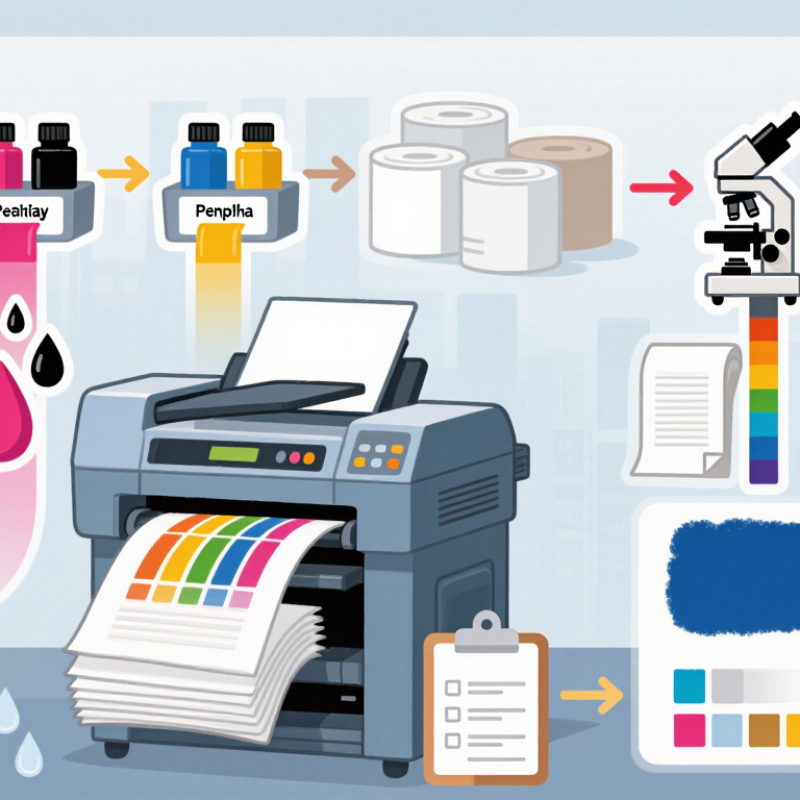
Define the Causes of Color Variation in Custom Printing
Color variation in custom printing begins with uncontrolled inputs, not only the press. Substrate brightness changes how cyan, magenta, yellow, and black appear. Optical brighteners can make one paper look cooler under daylight, then warmer under office lighting. ISO 12647-2 defines process targets for conventional printing, but real materials rarely behave perfectly. Ink density, dot gain, drying time, and press temperature can shift the final result. A small calibration error becomes obvious across a large solid area.
Digital files create another risk. An untagged RGB image may receive different conversions through separate RIP systems. Embedded profiles help, but they cannot correct poor measurement data. Fogra MediaWedge v3 contains 46 control patches, allowing printers to compare solids, overprints, gray balance, and tone values. Many production teams investigate critical colors when measured deviation approaches ΔE00 2–3, although customer agreements may set different limits. Measurement matters more than visual confidence.
Lighting also causes disputes. Metameric colors match under one lamp and fail under another. Viewing booths should follow a controlled illuminant, commonly D50, with neutral surroundings. Operators should record substrate lot, ink batch, press settings, and measurement conditions. This sounds slow. It prevents repeated guessing. A practical weakness remains: some teams measure only the first sheet, ignoring drift after long runs. That habit deserves criticism. Rechecking at startup, mid-run, and finishing catches changes caused by heat, moisture, and blanket wear.
Standardize Artwork, Color Profiles, and File Preparation
Color variation often begins before ink reaches paper. A reliable workflow starts with standardized artwork. Set clear color values for every design element. Define whether each color uses CMYK, RGB, or a spot color. Do not rely on visual guesses from different screens. Record trim size, bleed, resolution, and intended material in the job notes. Small inconsistencies can become obvious across a large print run.
Color profiles also need careful control. Convert images with the profile required by the printer and final material. Keep the same profile throughout editing, export, and proofing. Embed the profile in every relevant file. Monitor calibration matters. A bright laptop can make a dull blue appear acceptable. It is not. Request a physical proof when color accuracy affects packaging, branding, or product identification. Compare it under consistent lighting, not beside a window at sunset.
File preparation should be repeatable. Use organized layers, outlined fonts, linked images, and clearly named final files. Check overprint settings and transparency effects before export. A preflight checklist catches missing fonts, low-resolution images, and accidental RGB objects. Still, no workflow is perfect. I have seen approved files reveal unexpected shifts after finishing. That is why production teams should record adjustments, question assumptions, and improve the checklist after every difficult job. Pay attention to paper texture, coating, ink limits, and drying conditions. They can change the final result.
How to Prevent Color Variations in Custom Printing
Typical maximum ΔE00 targets help teams standardize artwork, color profiles, and file preparation. Lower values indicate closer visual agreement between the approved reference and the printed result.
Reference: Common working targets are approximately ΔE00 ≤ 2 for contract proofs, ≤ 3 for controlled production, and ≤ 5 for large-format or process-variable applications. Confirm the final tolerance with the printer and applicable production standard.
Select Consistent Inks, Materials, and Printing Conditions
Color variation usually begins before the press starts. Select inks from the same formulation and record their batch numbers. Different pigment loads can shift a warm red toward orange. This change may look minor on screen, but it becomes obvious across a long packaging run.
Material choice matters just as much. Paper brightness, coating, absorbency, and recycled content can alter the final color. ISO 12647-2 identifies substrate and process conditions as key controls for repeatable offset printing. Use one approved material specification, not simply “white paper.” For digital work, keep the same media profile and coating settings. Fogra’s ProcessStandard guidance recommends checking control strips and color patches during production. A Fogra MediaWedge includes 72 patches for objective measurement, rather than relying only on visual judgment. My practical habit is to compare sheets under controlled lighting, then measure them with a spectrophotometer. Room lighting can mislead even experienced operators.
Printing conditions need disciplined records. Keep ink temperature, press speed, drying time, moisture, and impression settings stable. The International Organization for Standardization reports color values using the CIELAB system, where L* describes lightness and a* and b* describe color direction. Set an agreed tolerance before production begins. A smaller Delta E target may improve consistency, but it can also increase waste and setup time. That trade-off deserves review. Human inspection still matters, yet memory is unreliable. Photograph approved sheets, retain physical samples, and document every adjustment. I still find unnoticed variation after a “successful” run.
Control Color Accuracy Through Proofing and Press Calibration
How to Prevent Color Variations in Custom Printing
Color accuracy begins before the press starts. A digital proof should match the final paper, finish, and viewing conditions as closely as possible. Soft proofs help review layout, but they cannot fully predict ink behavior on textured stock. Use a calibrated monitor, controlled lighting, and approved color profiles. A physical proof remains valuable for critical projects.
Press calibration must follow a measured process. Check ink density, dot gain, gray balance, and registration during the make-ready stage. A spectrophotometer can compare printed patches against the approved target. Operators should also allow the press to stabilize before judging color. I once approved a sheet too early, and the later run became visibly warmer. That mistake was preventable. Human judgment still matters, but measurement exposes changes that tired eyes miss.
Tips: Compare the proof and press sheet under the same light. Record paper batches and calibration settings. Keep a signed reference sheet nearby. Recheck color after long pauses, temperature changes, or ink adjustments. Do not trust memory. A small tolerance should be agreed upon before production, because “close enough” means different things to different people.
Inspect Finished Prints and Document Results for Future Runs
Color variation is often discovered after the press stops, not during setup. A finished-print inspection should happen under consistent, neutral lighting. Place approved samples beside fresh sheets, then compare background tone, gradients, and small text. Look closely at solid areas. Uneven coverage may appear as faint stripes, edge darkening, or a warmer corner. Check several sheets from different positions in the stack. One sheet can mislead you.
Record the inspection date, material type, ink or toner settings, machine temperature, and operator notes. Photograph each issue beside a scale or color reference card, when available. Keep the images with the production file, not in a personal phone gallery. Write measurable observations, such as “the lower-right panel is visibly darker.” Avoid vague comments like “the color looks wrong.” If a print passes visually but fails under controlled light, record both results. That disagreement matters.
For future runs, compare the new inspection sheet with previous records before changing settings. A small correction may solve the problem, while a large adjustment can create another shift. I have seen teams change multiple variables at once and lose the cause. Change one setting, print a short test, and document the result. Leave room for uncertainty. Paper batches, humidity, and drying time can affect color more than expected.
How to Prevent Color Variations in Custom Printing - Inspect Finished Prints and Document Results for Future Runs
Finished Print Inspection and Color Consistency Log
| Inspection Date |
Print Run ID |
Substrate |
Ink / Process |
Reference Color |
Target ΔE00 |
Measured ΔE00 |
Density Variation |
Pass Rate |
Inspection Finding |
Corrective Action |
Record for Future Runs |
| 2026-01-08 |
PR-260108-01 |
Coated paper, 150 g/m² |
Four-color offset |
Deep blue spot area |
≤ 2.0 |
1.4 |
±0.03 D |
98.6% |
No visible banding; color uniform across the sheet. |
No action required. |
Retain press profile, paper lot, and approved proof as the reference set. |
| 2026-01-15 |
PR-260115-02 |
Uncoated paper, 120 g/m² |
Four-color offset |
Neutral gray panel |
≤ 2.0 |
2.3 |
±0.06 D |
94.2% |
Gray appeared slightly warm on the trailing edge. |
Checked paper moisture and recalibrated the press before rerun. |
Store paper at controlled room conditions for at least 24 hours before printing. |
| 2026-01-23 |
PR-260123-03 |
Synthetic film, matte finish |
UV digital |
Bright red logo field |
≤ 2.5 |
1.9 |
±0.04 D |
97.8% |
Gloss difference detected near the edge; hue remained within tolerance. |
Standardized curing energy and cleaned the print path. |
Use the same curing setting and surface treatment on repeat orders. |
| 2026-02-02 |
PR-260202-04 |
Uncoated paper, 100 g/m² |
Water-based flexographic |
Green background |
≤ 3.0 |
2.6 |
±0.05 D |
96.5% |
Minor density drop at the beginning of the roll. |
Allowed the press to reach stable operating temperature before approval. |
Discard start-up material until density is stable across three consecutive readings. |
| 2026-02-11 |
PR-260211-05 |
Coated paper, 200 g/m² |
Four-color offset |
Skin-tone image area |
≤ 2.0 |
3.1 |
±0.08 D |
89.7% |
Visible shift toward magenta between the first and last inspection sheets. |
Stopped production, verified ink-water balance, and repeated the color bar check. |
Record approved ink-water settings and inspect every 500 sheets during long runs. |
| 2026-02-19 |
PR-260219-06 |
Textured board, 350 g/m² |
Screen printing |
White underbase |
≤ 3.0 |
2.2 |
±0.03 D |
98.1% |
Coverage was consistent; slight texture show-through was expected. |
Approved after visual comparison under standard daylight lighting. |
Use the same mesh count, squeegee pressure, and lighting condition for approval. |
Recommended inspection interval
Measure the first approved sheet, a mid-run sheet, and the final sheet. For long runs, add checks at regular production intervals.
Core records to retain
Keep the approved proof, substrate details, environmental conditions, press settings, measured color values, and corrective actions.
Acceptance guideline
Investigate any measurement above the agreed ΔE00 tolerance before releasing the finished prints for delivery.
Conclusion
Color variations in custom printing can result from differences in file settings, color profiles, ink density, paper or substrate properties, lighting, humidity, and press conditions. To reduce these inconsistencies, begin by asking, “why do color variations occur in custom printing,” and use the answer to create a consistent production process. Standardize artwork preparation, embed the correct color profile, maintain suitable resolution, and confirm that files are supplied in an agreed format. Consistent inks, materials, and operating conditions also help ensure that each print run produces comparable results.
Before full production, use proofs to evaluate color appearance and make necessary adjustments. Regular press calibration, controlled ink application, and stable environmental conditions can further improve accuracy. After printing, inspect finished pieces under consistent lighting and compare them with the approved proof or reference sample. Record the materials, settings, adjustments, and inspection results so future runs can follow the same standards. This organized approach helps minimize unexpected differences, improve repeatability, and maintain reliable color quality across custom printing projects.
